

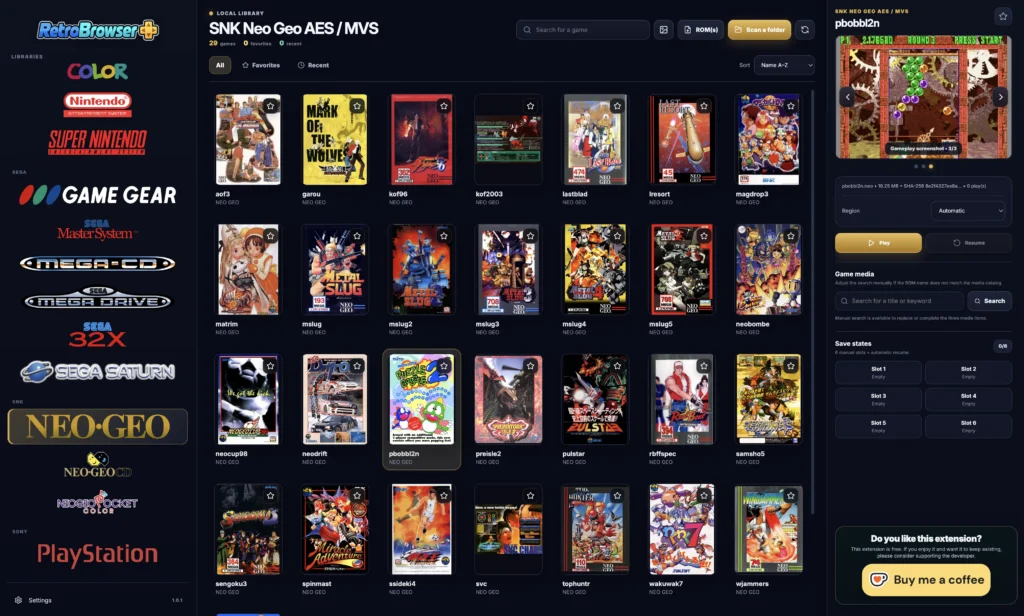
RetroBrowser+ 1.2.2 Update: Controller Fixes and Neo Geo CD Improvements
RetroBrowser+ 1.2.2 is now available! This update brings important controller configuration fixes, improved Neo Geo CD stability, and a few useful reminders about game file formats and hardware requirements.
Controller Configuration Bug Fixed
The RetroBrowser+ 1.2.2 update fixes a bug affecting controller button configuration.
This correction improves the reliability of button mapping, making it easier to configure your gamepad and enjoy your favorite retro games.
Improved Neo Geo CD Emulation Stability
We’ve also made improvements to the Neo Geo CD emulation core to provide a more stable gaming experience.
RetroBrowser+ continues to evolve with regular fixes and optimizations across its supported gaming systems.
Supported ROM and CD Image Formats
To help avoid compatibility issues, here are a few reminders about supported game formats:
- Neo Geo AES/MVS: ROMs must use the
.neoformat. - Neo Geo CD: use
.cueand.bindisc images. - PlayStation:
.cueand.binformats are recommended. - Sega Saturn:
.cueand.binformats are recommended. - NEC CD-ROM:
.cueand.binformats are recommended.
The .chd format may also work with some CD-based systems, but compatibility has not been fully verified.
For the best results, we recommend using the formats listed above.
Hardware Requirements and Emulation Performance
Please remember that RetroBrowser+ performance depends on your computer’s hardware.
Older computers, particularly machines released around 2012, may struggle with the most demanding WebAssembly emulation cores.
Performance and compatibility depend on several factors, including:
- CPU: Processor performance and architecture.
- GPU: Graphics capabilities and acceleration support.
- RAM: Available system memory.
Some systems require significantly more processing power than others. As a result, not every game or emulation core will run smoothly on every computer.
Thank You for Supporting RetroBrowser+
We’re continuing to improve RetroBrowser+ with a focus on stability, compatibility, and ease of use.
Thank you for using our free retro gaming browser extension and for sharing your feedback. Every update helps make RetroBrowser+ a little better!